Simly

Simly

Simly

01. WHAT IS SIMLY

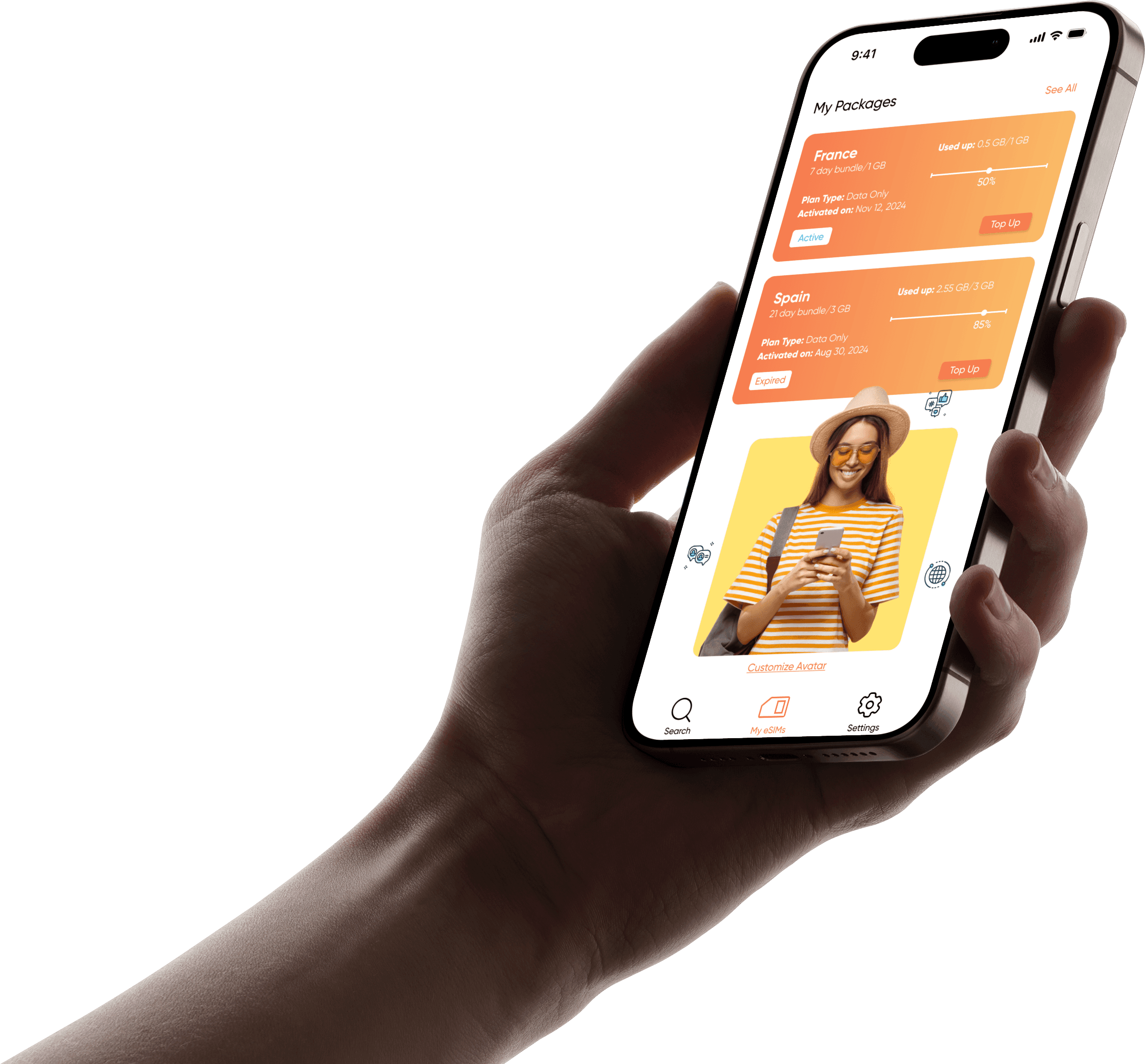
Simly is an eSim App used by millions worldwide. They provide several packages within local, regional, and global categories.

Simly is an eSim App used by millions worldwide. They provide several packages within local, regional, and global categories.

02. OVERVIEW

Task

Redesigning a mobile application

Redesigning a mobile application

Team

Team

Individual

Individual

Timeframe

3 days

3 days

Tools

Figma, Zoom, Slack

Figma, Zoom, Slack

03. OBJECTIVE

Redesign the Simly app, focusing on aspects that violate the 10 Usability Heuristics for User Interface Design.

Redesign the Simly app, focusing on aspects that violate the 10 Usability Heuristics for User Interface Design.

04. WHY SIMLY

I recently moved to Paris from Lebanon and needed internet access as soon as I landed. I came across Simly (an app for purchasing eSIMs) through an ad on the first flight I took. When I landed in Athens, I made sure to download it and install it for data in France. However it wasn’t straightforward, and I immediately noticed that it could be improved.


When this project was briefed to us, the first and only app that came to mind for a redesign was Simly.

I recently moved to Paris from Lebanon and needed internet access as soon as I landed. I came across Simly (an app for purchasing eSIMs) through an ad on the first flight I took. When I landed in Athens, I made sure to download it and install it for data in France. However it wasn’t straightforward, and I immediately noticed that it could be improved.

When this project was briefed to us, the first and only app that came to mind for a redesign was Simly.

05. HEURISTIC ANALYSIS

Heuristic analysis is a framework made up of 10 principles used to study a digital product and identify usability issues. With the Simly app, there are three main problems:

Heuristic analysis is a framework made up of 10 principles used to study a digital product and identify usability issues. With the Simly app, there are three main problems:

Heuristic analysis is a framework made up of 10 principles used to study a digital product and identify usability issues. With the Simly app, there are three main problems:

Heuristic Principle #04

Heuristic Principle #04

Consistency and standards

Consistency and standards

“Users should not have to wonder whether different words, situations, or actions mean the same thing. Follow platform conventions.”

“Users should not have to wonder whether different words, situations, or actions mean the same thing. Follow platform conventions.”

In Simly

In Simly

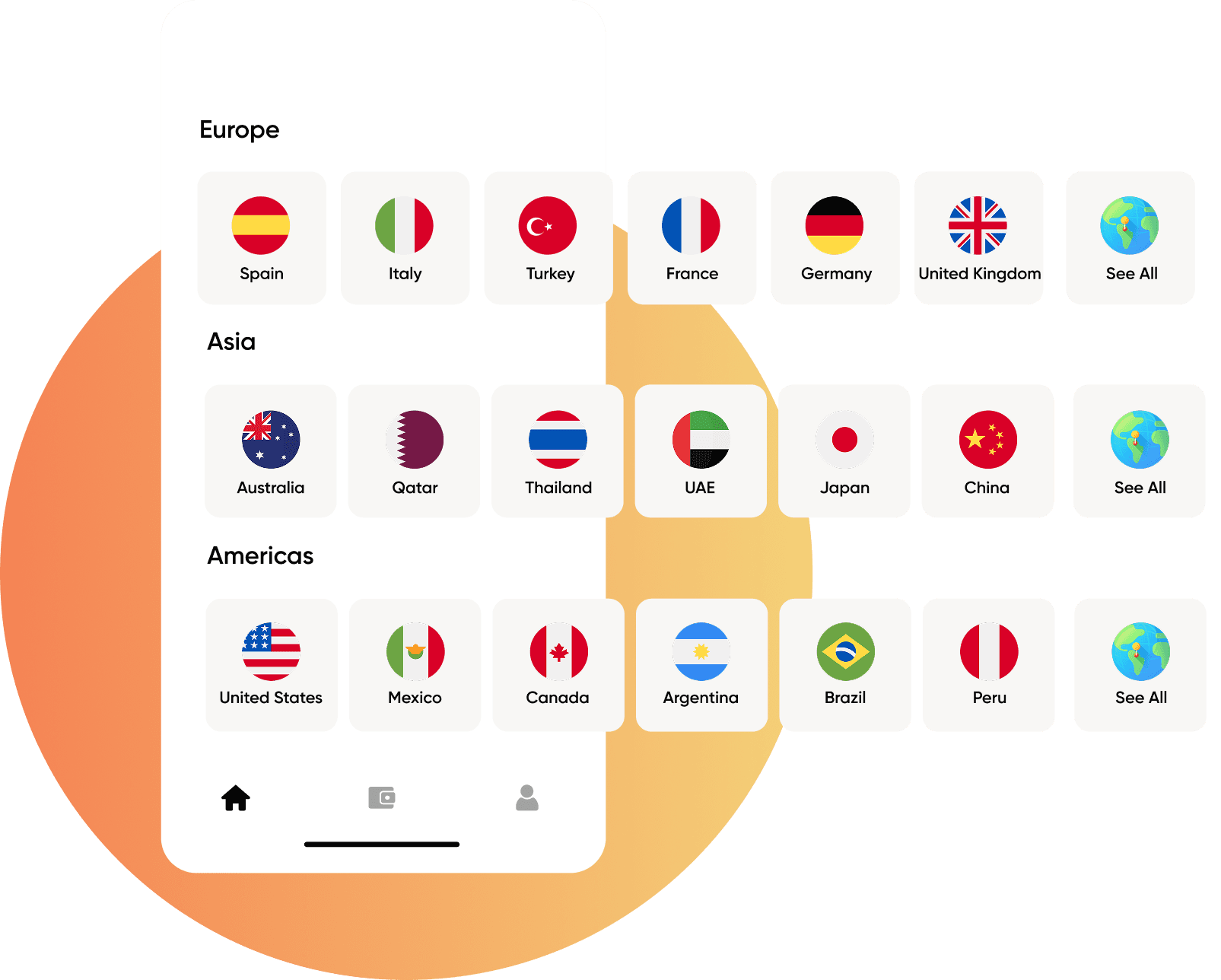
The size of the country buttons is inconsistent.

There are no clear branding colors.

The visual elements don’t have the same style.

There is no repetition or clear hierarchy in the font sizes used.

Heuristic Principle #07

Heuristic Principle #07

Flexibility and efficiency of use

Flexibility and efficiency of use

“Accelerators — unseen by the novice user — may often speed up the interaction for the expert user such that the system can cater to both inexperienced and experienced users. Allow users to tailor frequent actions.”

“Accelerators — unseen by the novice user — may often speed up the interaction for the expert user such that the system can cater to both inexperienced and experienced users. Allow users to tailor frequent actions.”

In Simly

In Simly

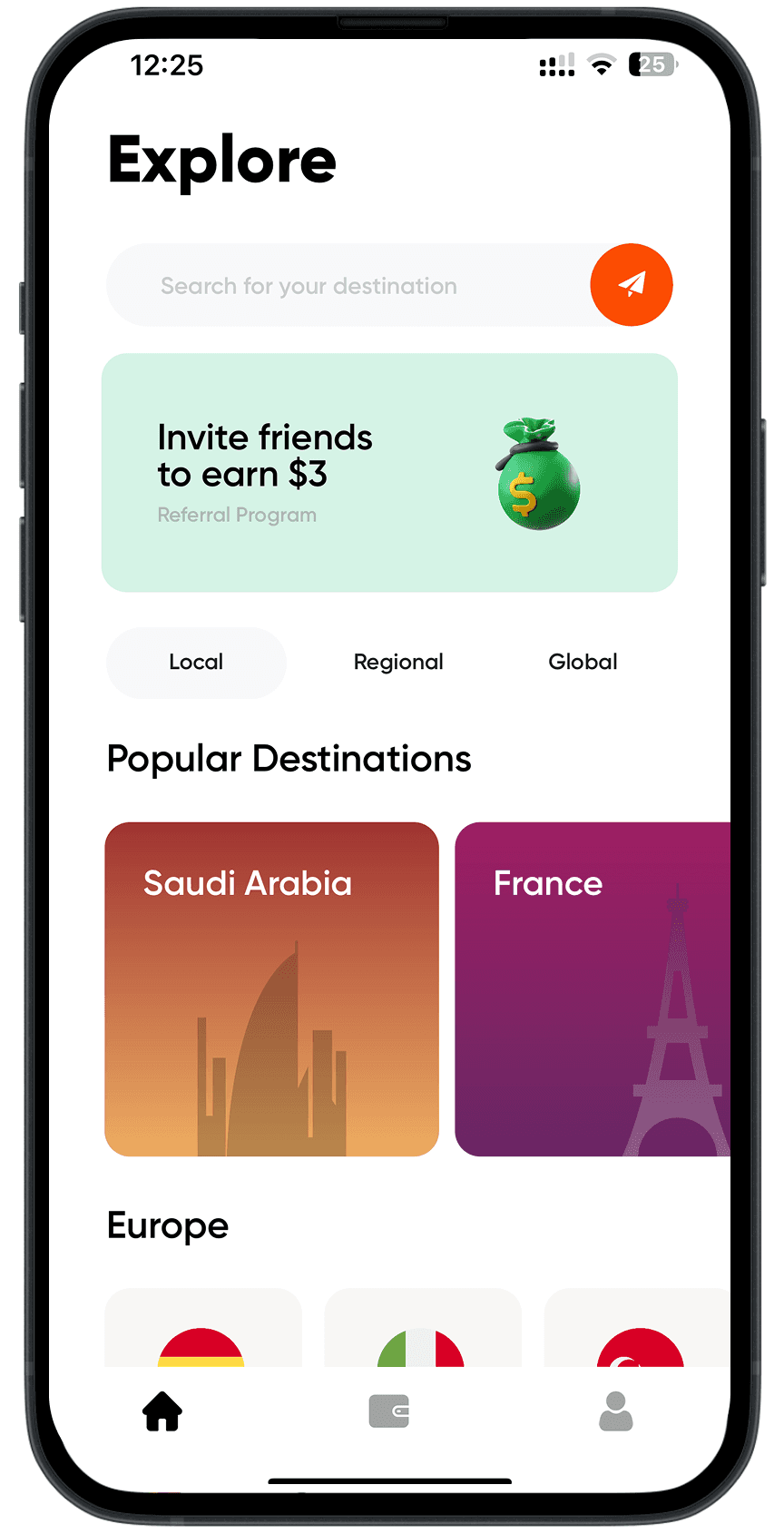
There is no logical order in how the countries and regions are listed.

The icons are misleading in terms of what they represent.

The local/regional/global buttons don’t behave the same way.

The “See All” countries button is hidden at the end of the list after scrolling to the right.

Heuristic Principle #08

Heuristic Principle #08

Aesthetic and minimalist design

Aesthetic and minimalist design

“Dialogues should not contain information which is irrelevant or rarely needed. Every extra unit of information in a dialogue competes with the relevant units of information and diminishes their relative visibility.”

“Dialogues should not contain information which is irrelevant or rarely needed. Every extra unit of information in a dialogue competes with the relevant units of information and diminishes their relative visibility.”

In Simly

In Simly

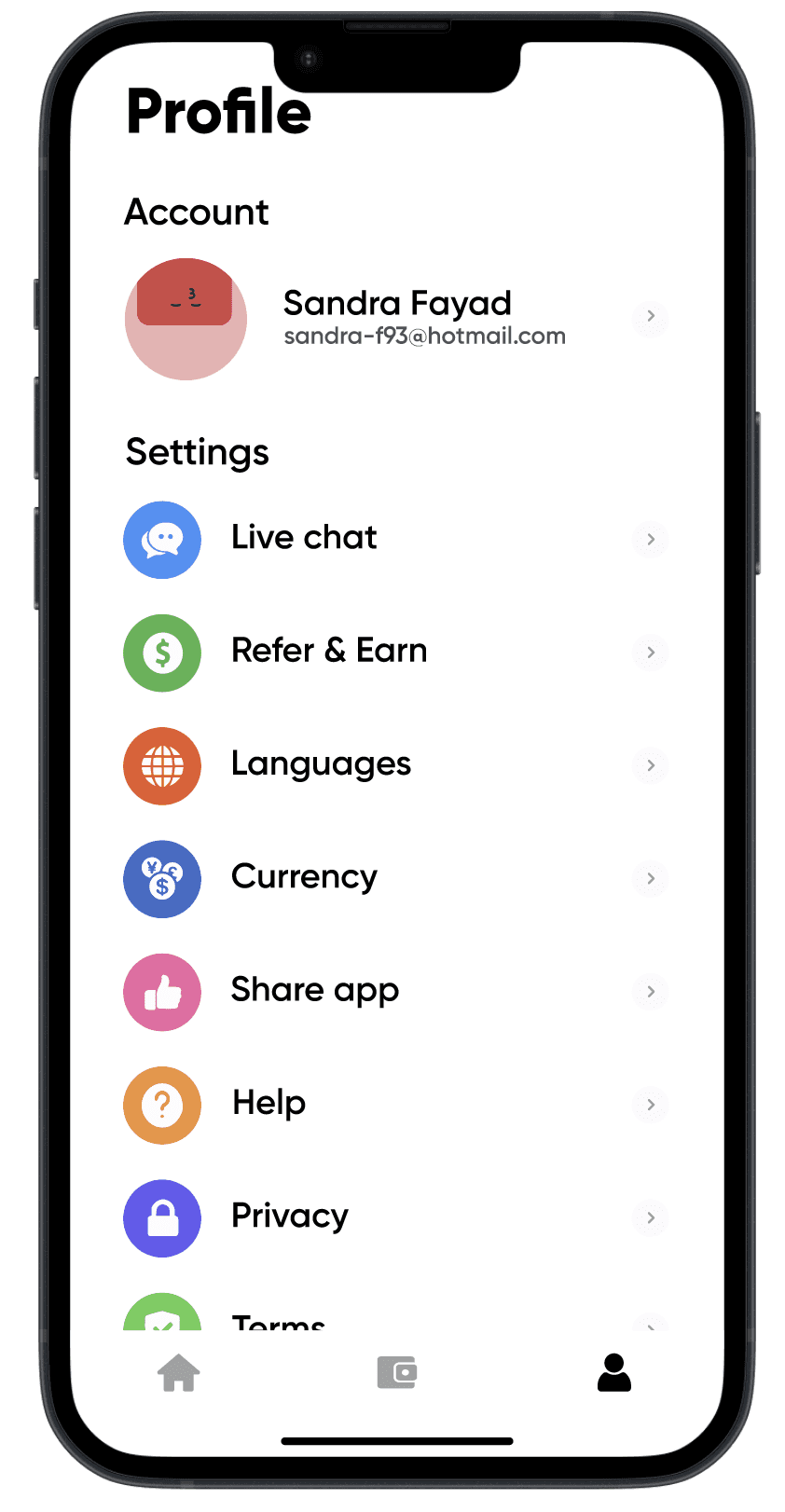
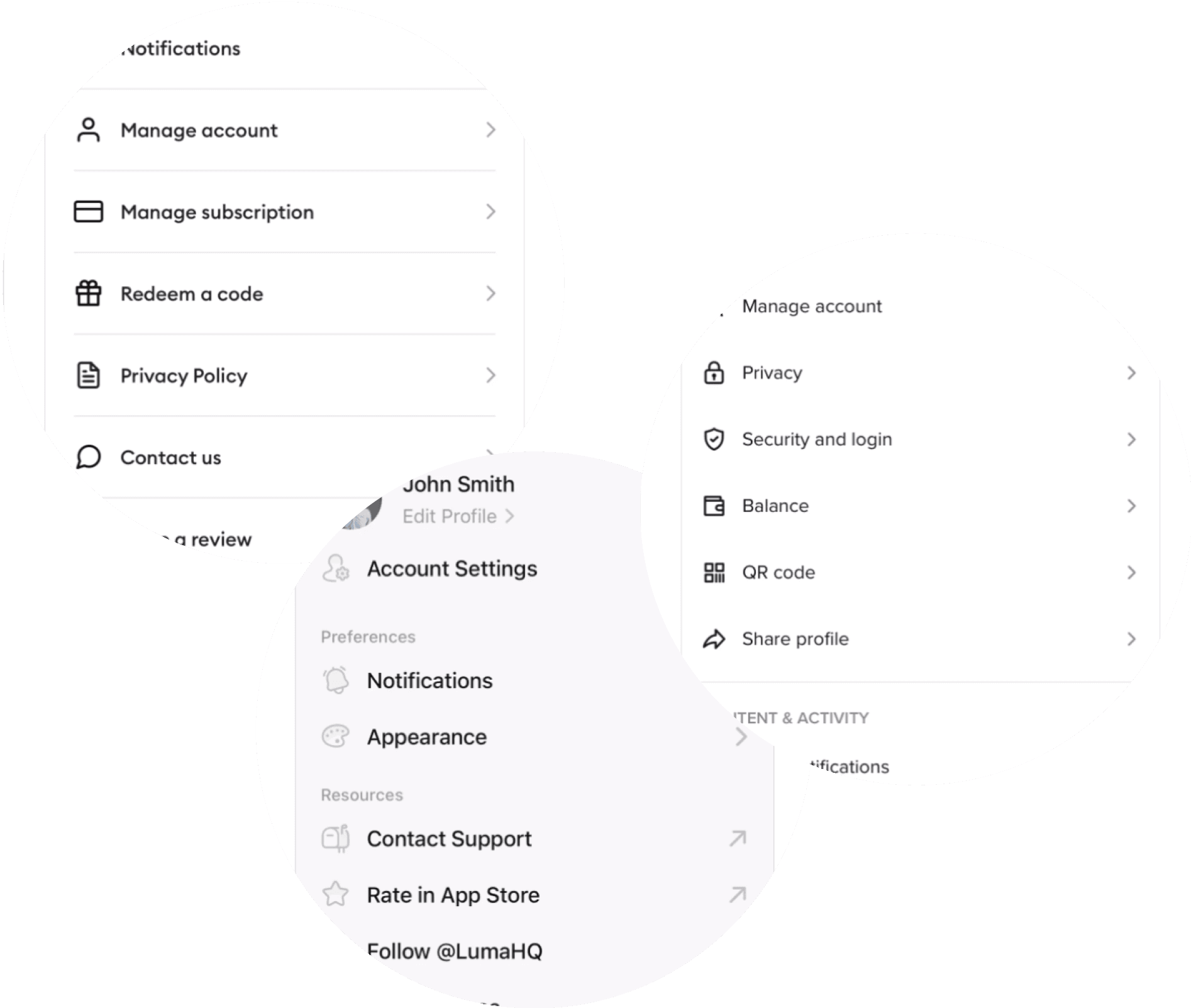
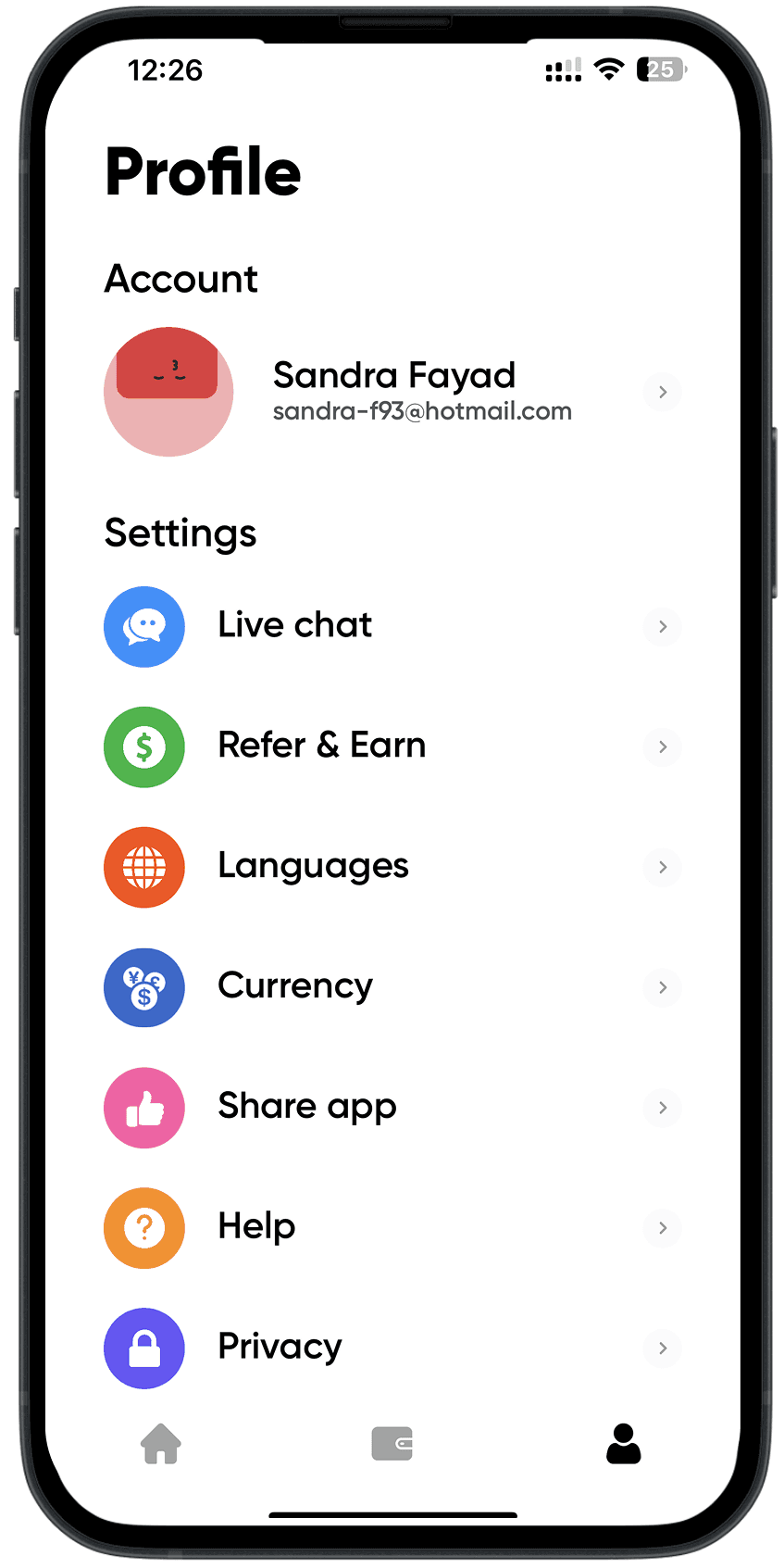
The font sizes on the settings page are excessively large.

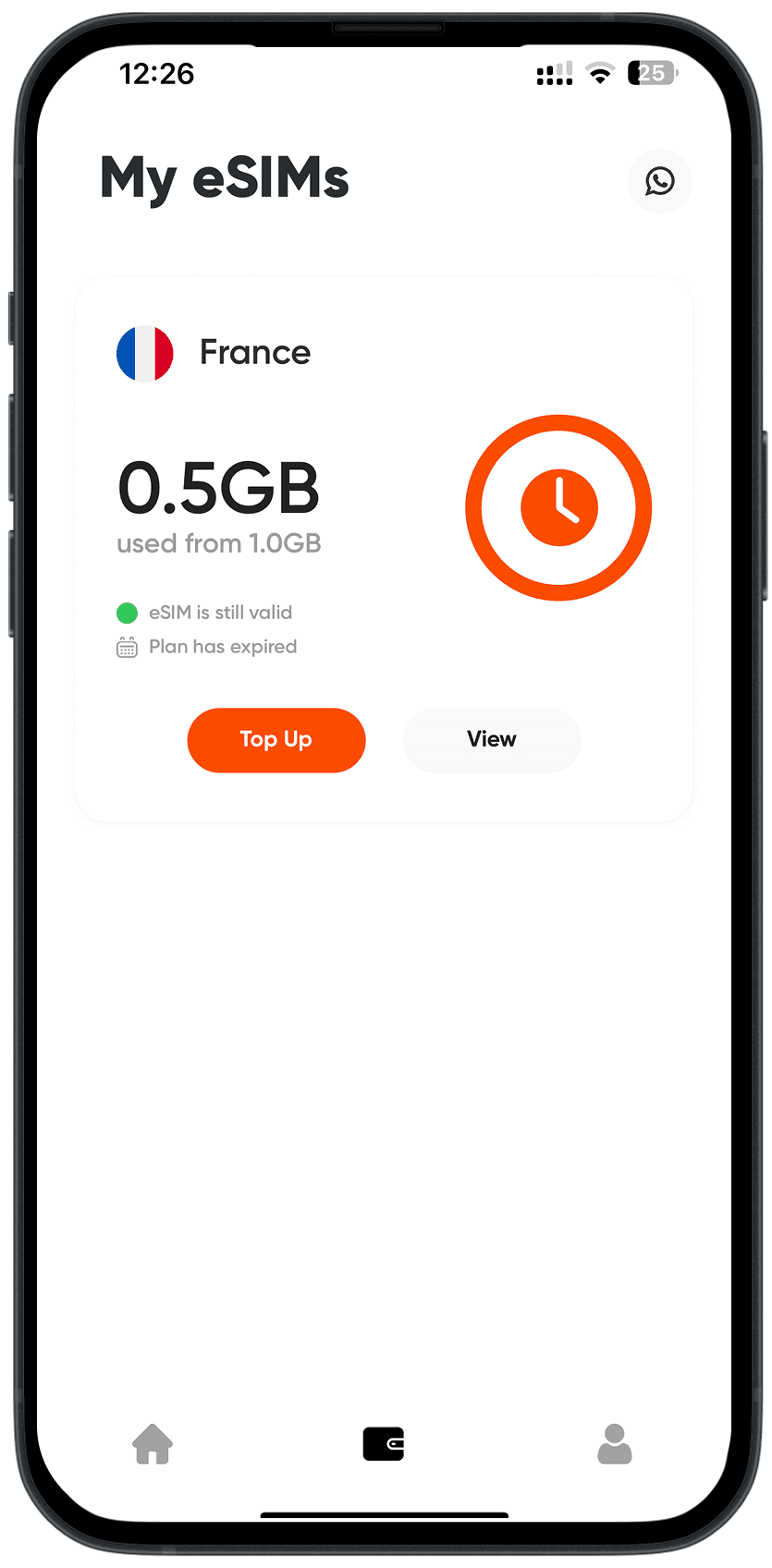
The status of the packages isn’t clearly visible.
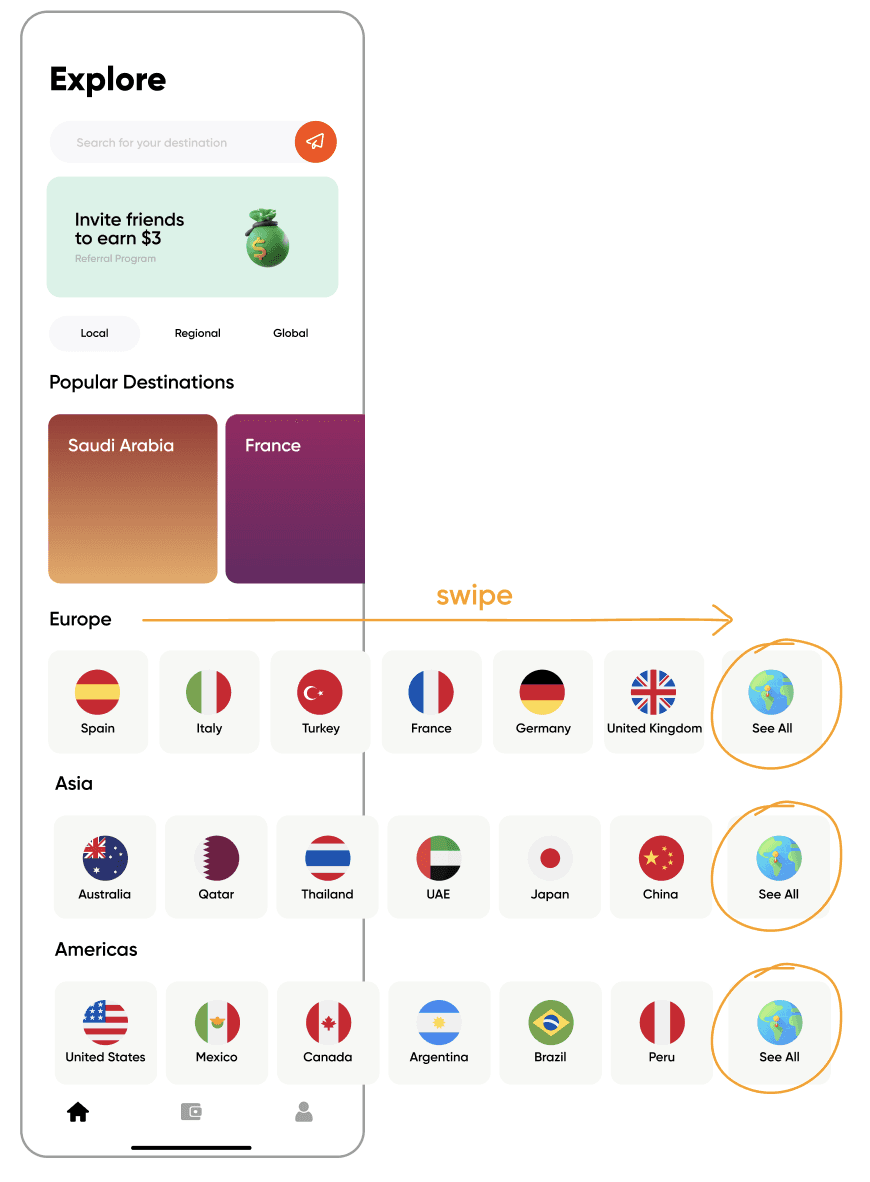
The need to swipe till the end of the row to see a “See All” isn’t intuitive.

And also having it designed same as the other country cards makes it confusing.

The need to swipe till the end of the row to see a “See All” isn’t intuitive.

And also having it designed same as the other country cards makes it confusing.

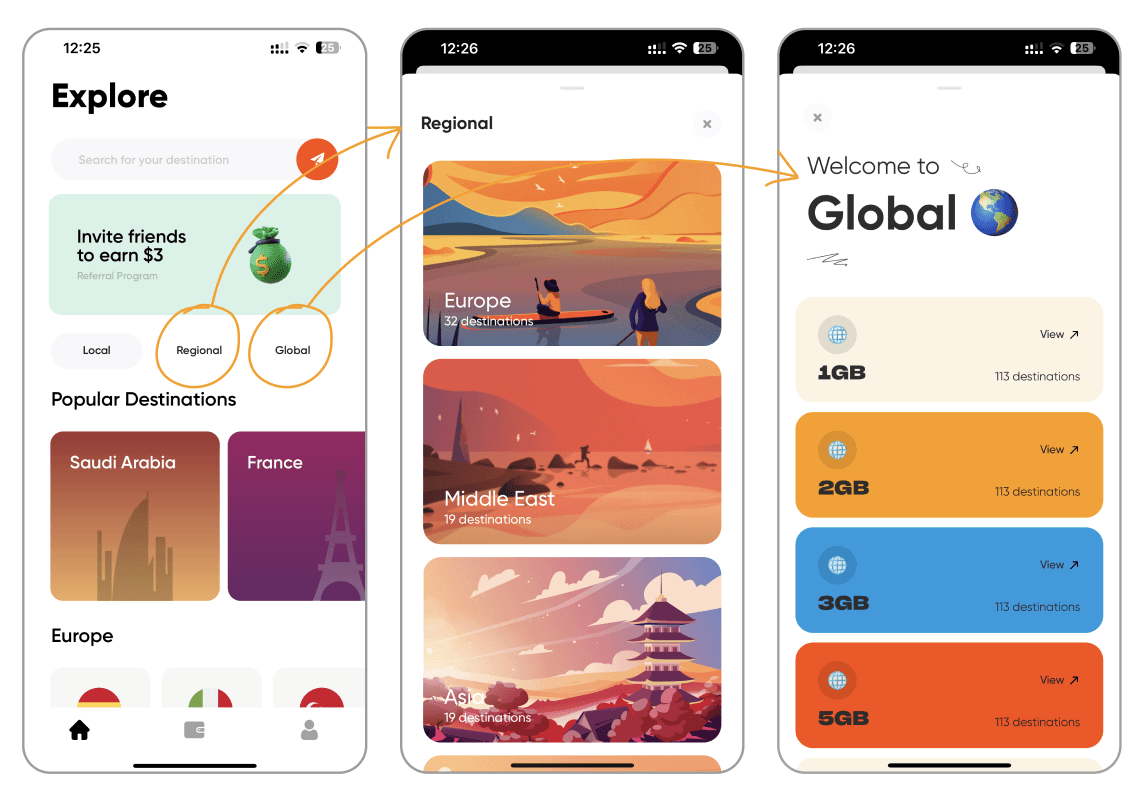
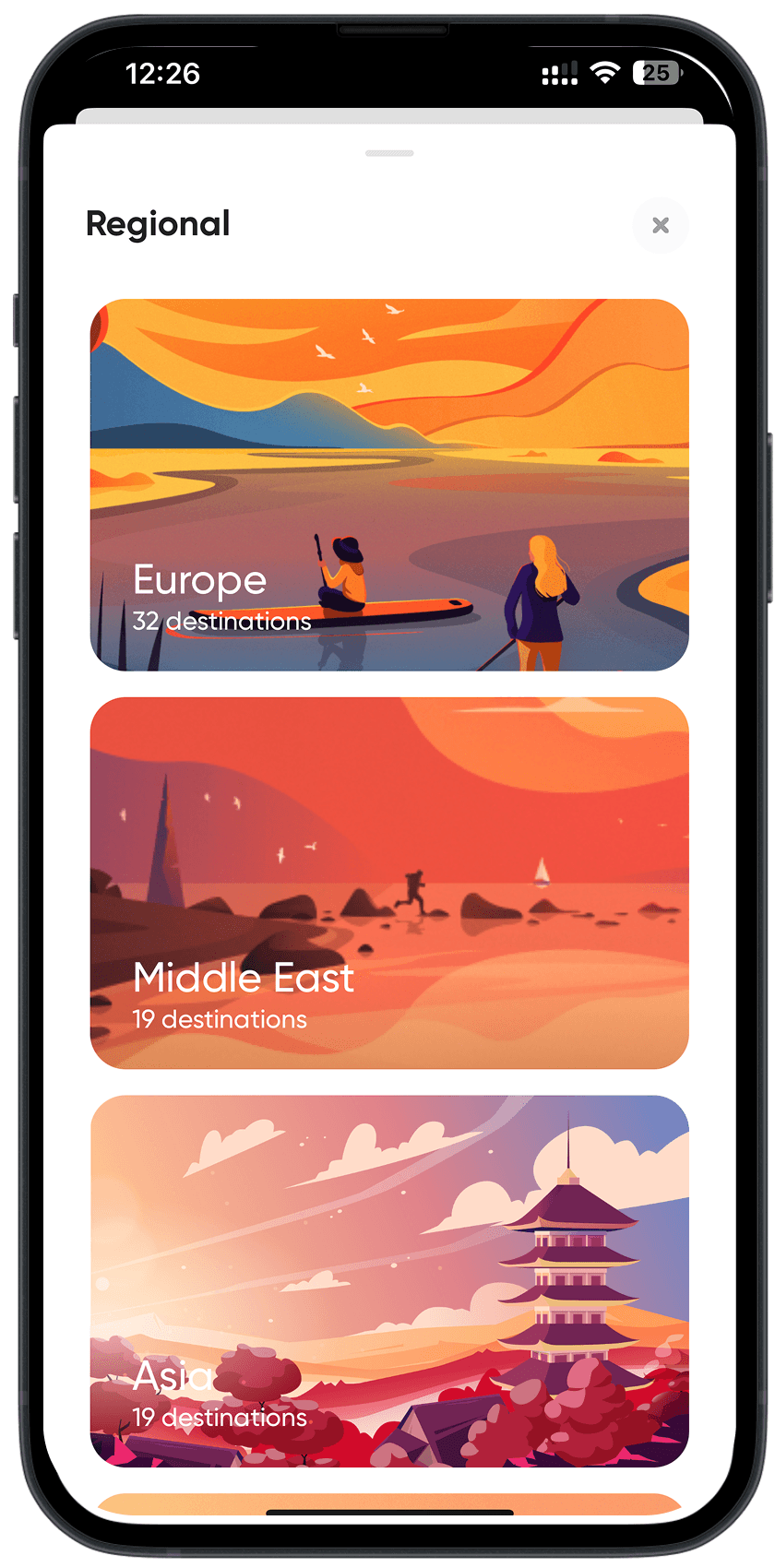
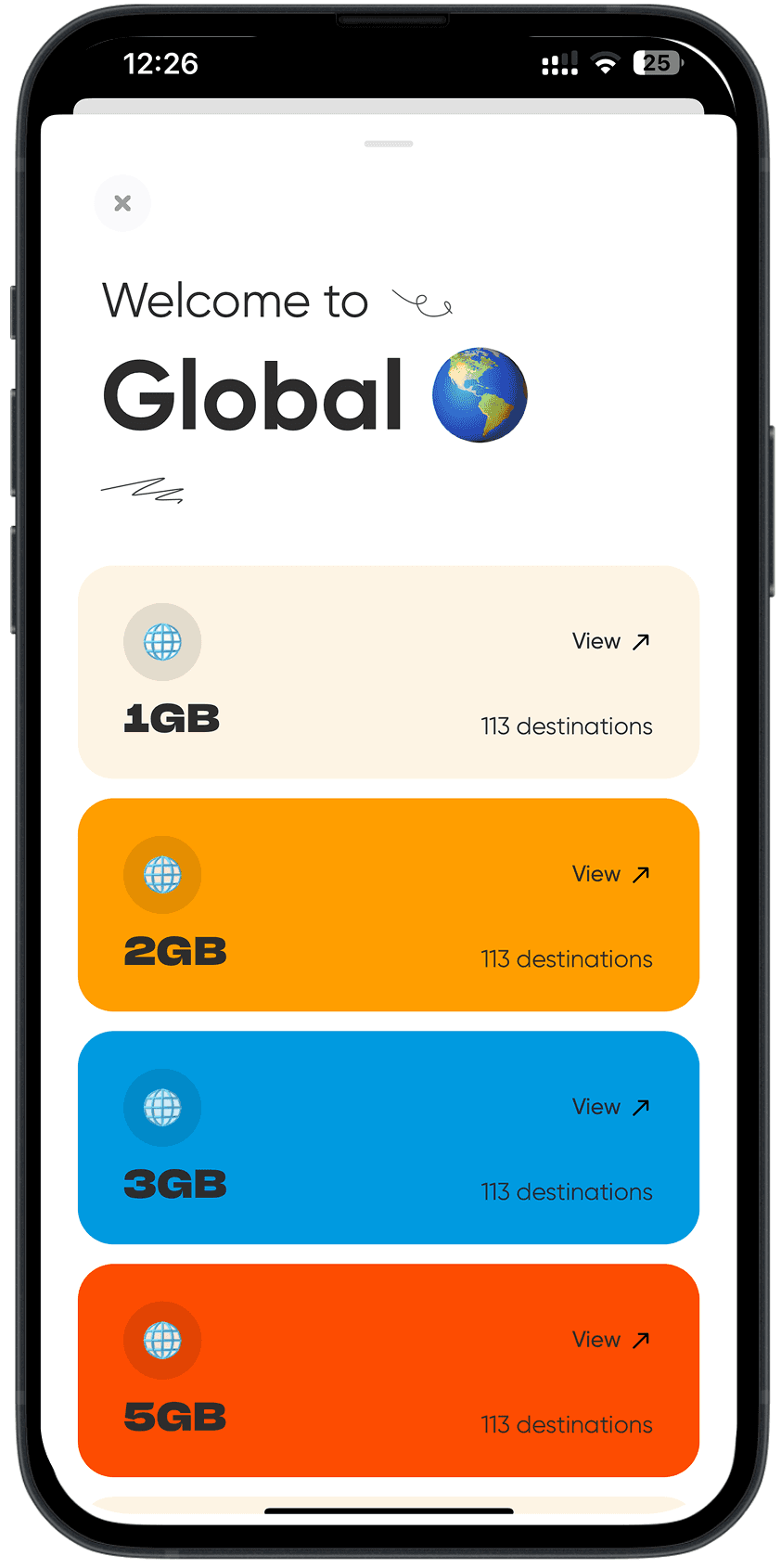
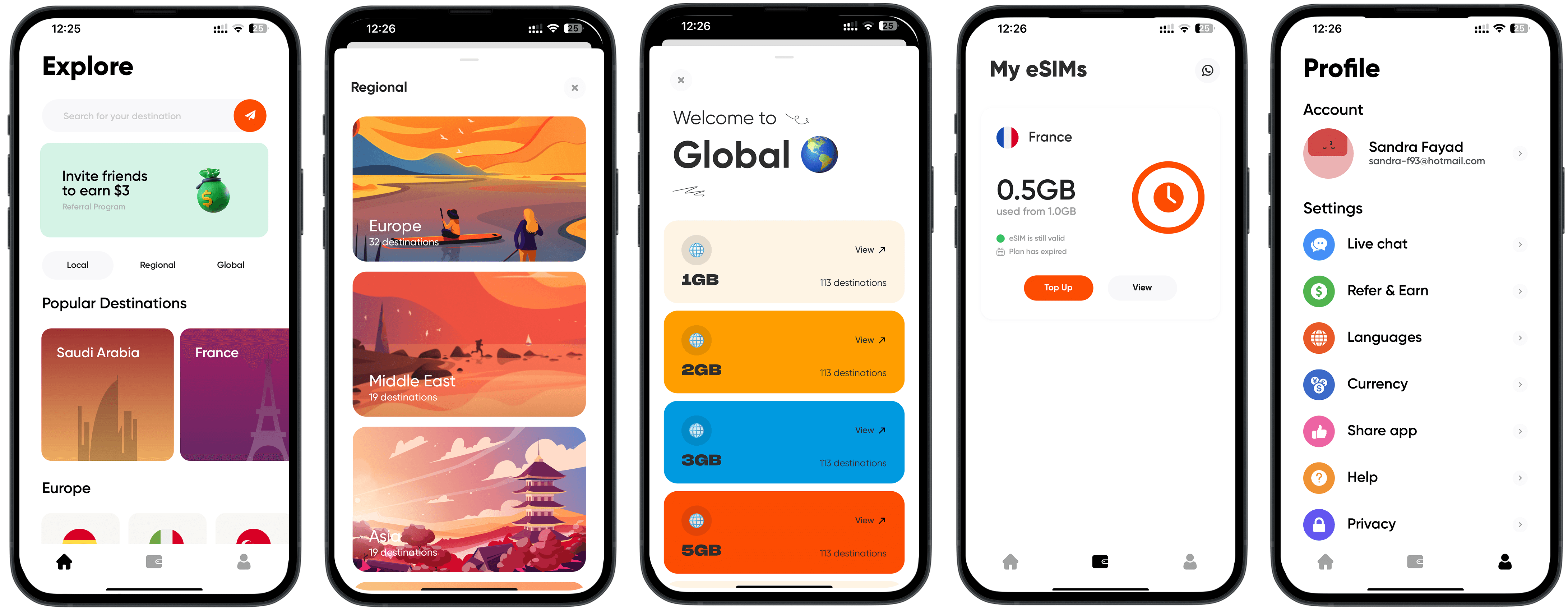
The default home page is on Local, but the Regional and Global pages don’t behave as toggle buttons, rather they open from below as a slider, which is inconsistent and misleading. Also, the cancel button of the Regional and Global pages are on different sides of the screen.

The default home page is on Local, but the Regional and Global pages don’t behave as toggle buttons, rather they open from below as a slider, which is inconsistent and misleading. Also, the cancel button of the Regional and Global pages are on different sides of the screen.

Simly App - Before

Simly App - Before

06. VISUAL COMPETITIVE ANALYSIS

After analyzing the app, I reviewed direct and indirect competitors, focusing on their branding decisions, images, typography, and layouts.

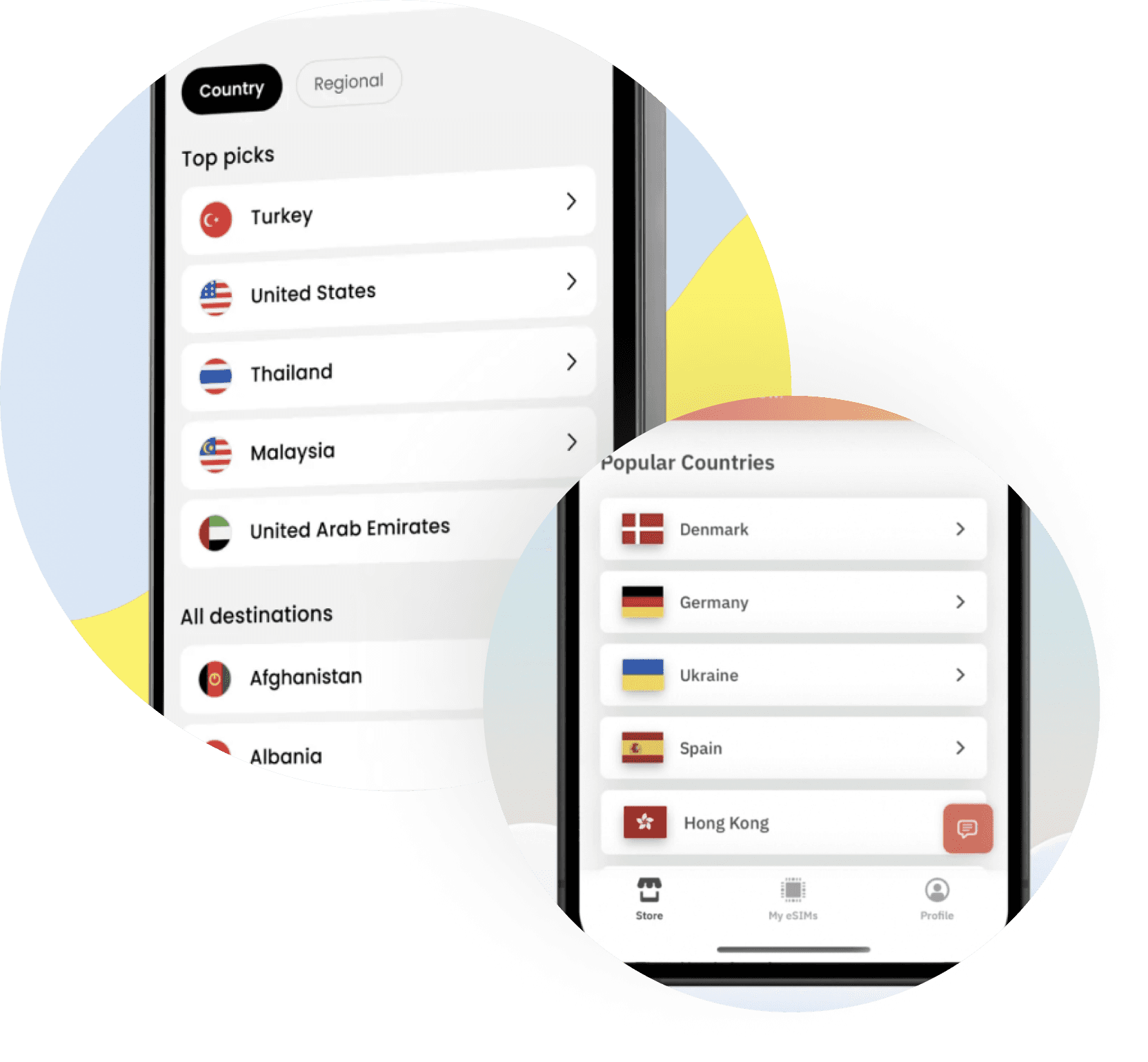
I noticed that competitors typically lay out countries in a single row as a list rather than side by side. I also checked how settings pages are usually designed, including font and icon sizes.

After analyzing the app, I reviewed direct and indirect competitors, focusing on their branding decisions, images, typography, and layouts.

I noticed that competitors typically lay out countries in a single row as a list rather than side by side. I also checked how settings pages are usually designed, including font and icon sizes.

Current country layout on Simly:

Country name

VS.

Country layout on competitors’ apps

Country name

Current country layout on Simly:

Country name

VS.

Country layout on competitors’ apps

Country name

Settings page on Simly:

Too many colors

Font size too big

VS.

Settings page on other apps:

Subtle colors

Smaller font size

Settings page on Simly:

Too many colors

Font size too big

VS.

Settings page on other apps:

Subtle colors

Smaller font size

07. THE REBRAND STRATEGY

The idea behind the new Simly app is to establish a clear branding personality and ensure it is easy to navigate without requiring much thought.

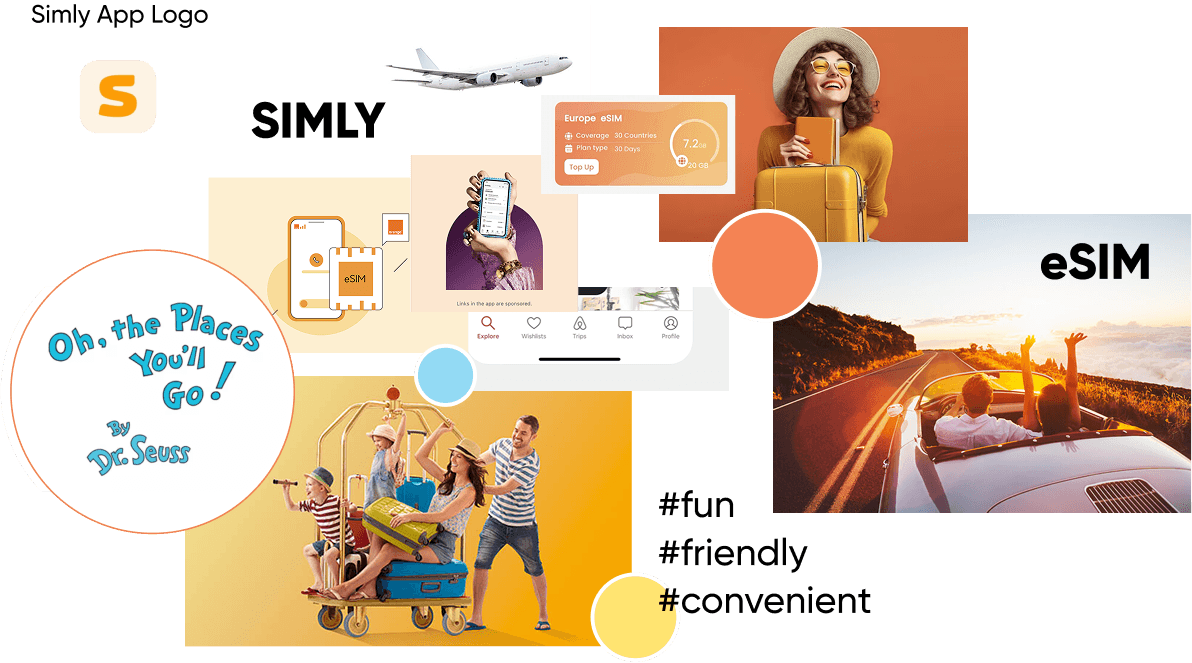
By creating a mood board, I visualized the brand attributes I wanted the app to convey: Fun, Friendly, and Convenient

The idea behind the new Simly app is to establish a clear branding personality and ensure it is easy to navigate without requiring much thought.

By creating a mood board, I visualized the brand attributes I wanted the app to convey: Fun, Friendly, and Convenient

08. THE DESIGN PROCESS

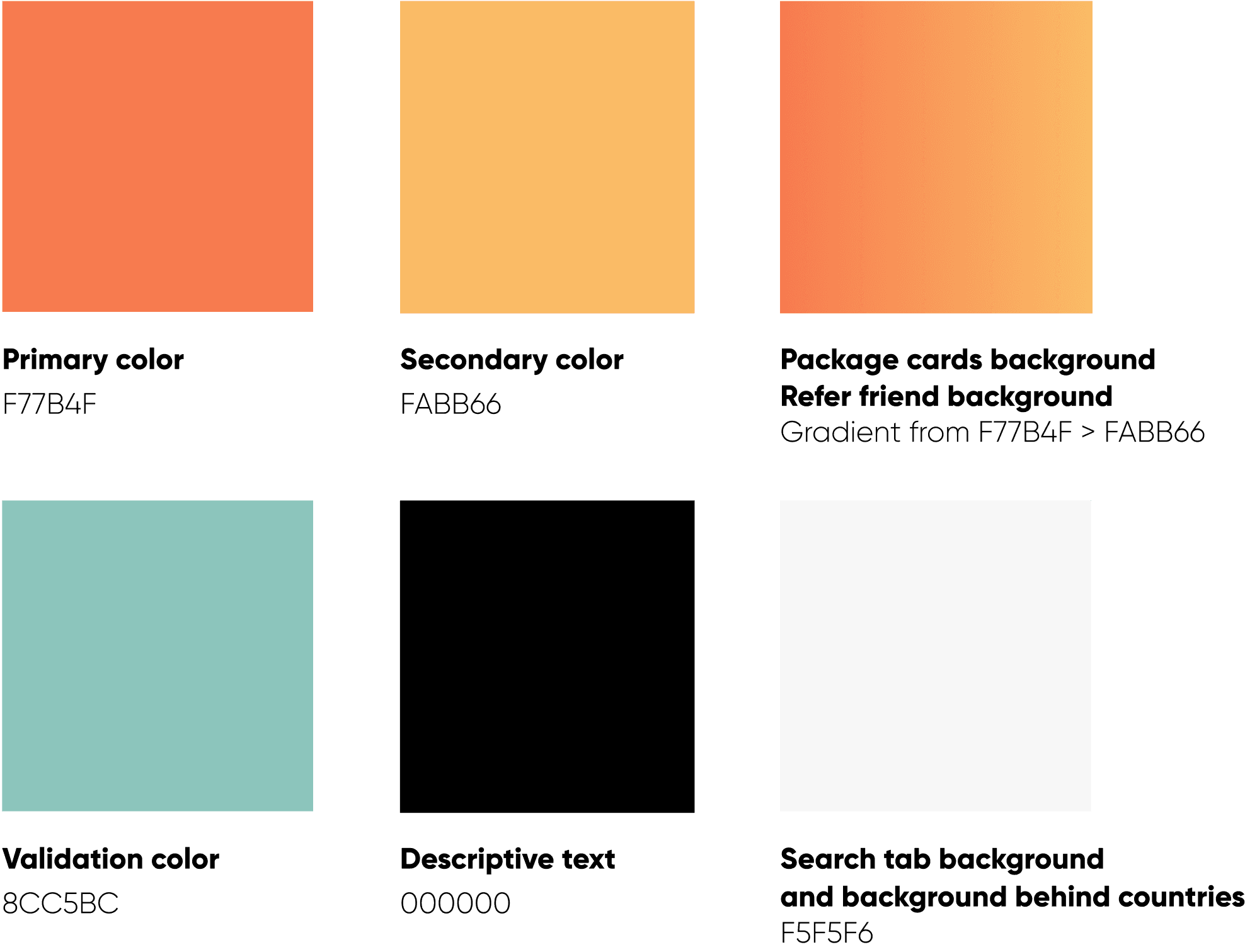
To emphasize ease of use, I limited the brand colors to avoid overwhelming users. I chose the existing logo colors, which are two shades of orange. These colors reflect energy and excitement — essential feelings when on the go.

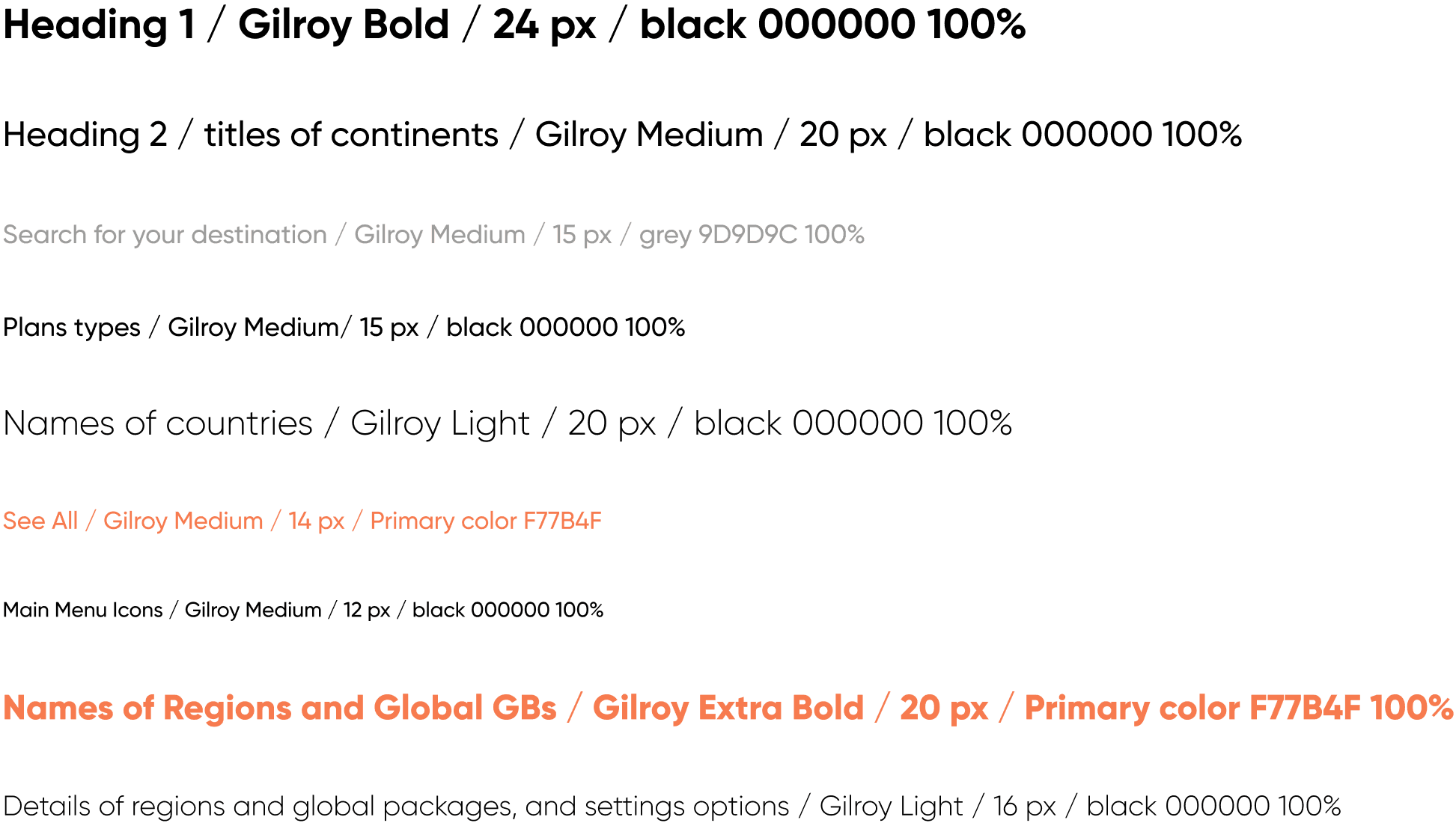
I retained the dominant font, Gilroy, using different weights within its family.

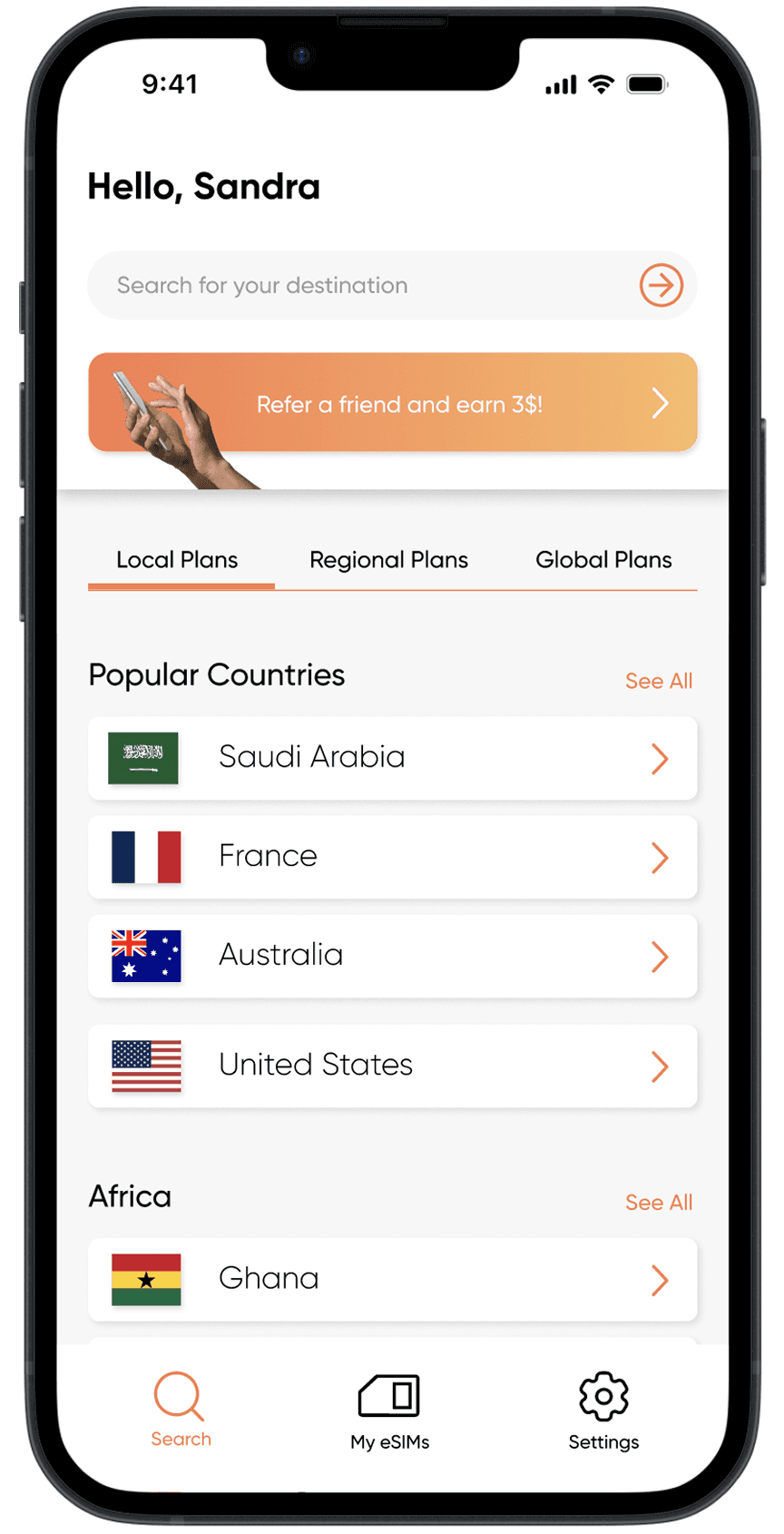
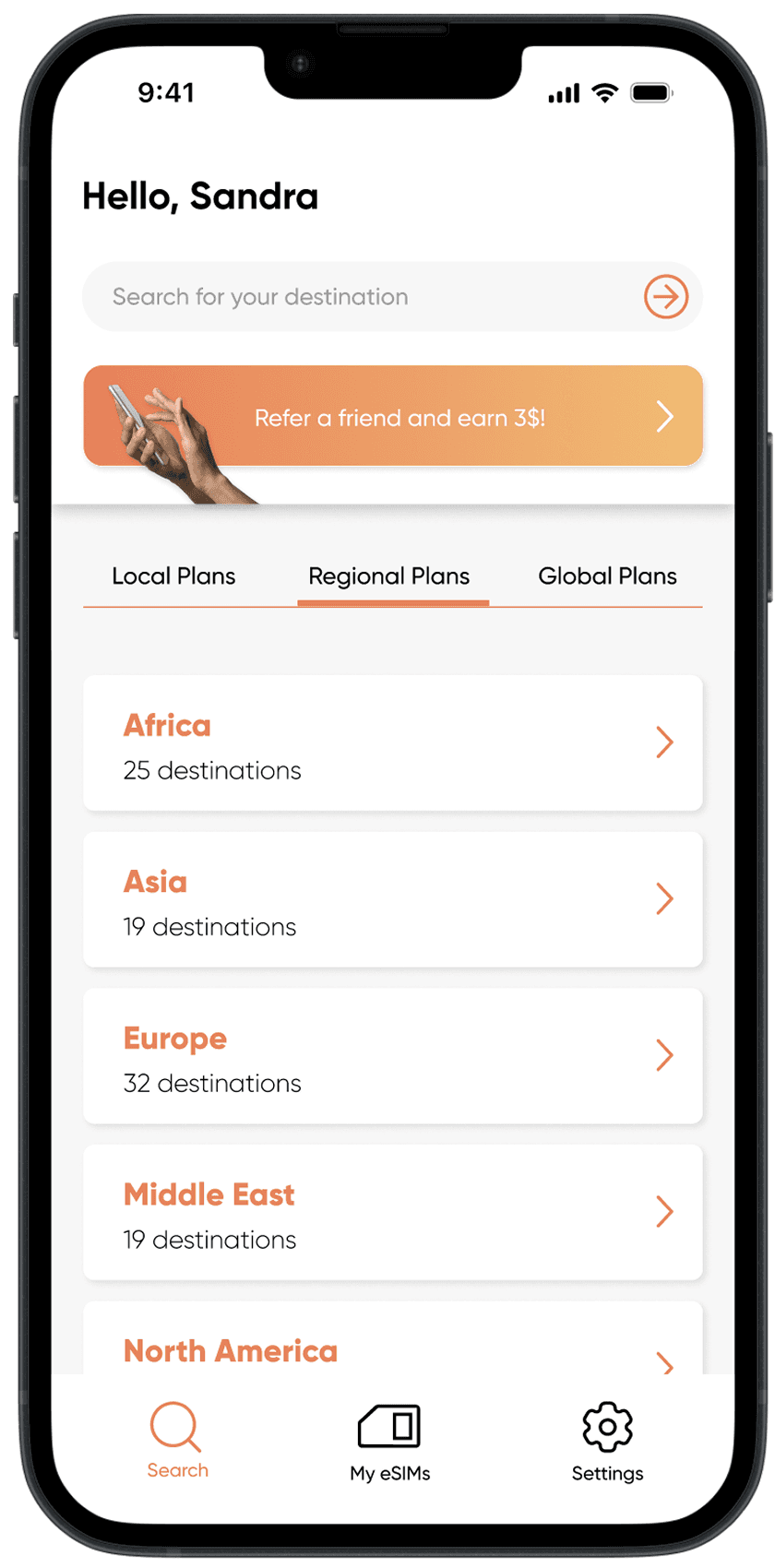
While redesigning, I noticed that some countries in Africa and the Middle East appeared only in the Regional packages and not on the Local page. I added these countries to the Local page and listed continents and regions in alphabetical order for logical navigation.

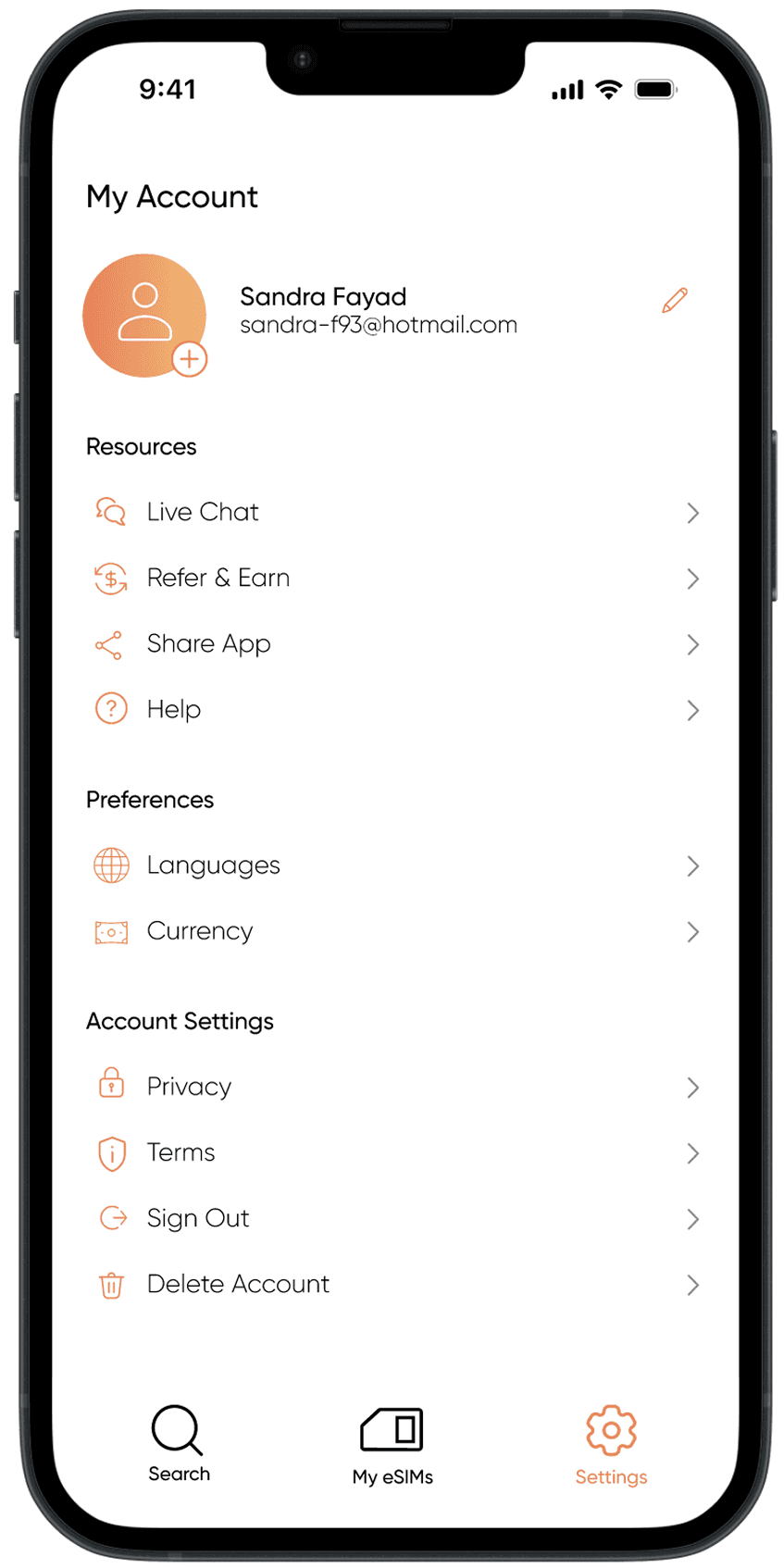
I also replaced the main menu bar icons. The middle icon now represents “My eSIMs,” which is more fitting than the previous wallet icon, as it takes users to their purchased packages. Additionally, I replaced the account icon with a settings icon, aligning with common practices in other apps.

To emphasize ease of use, I limited the brand colors to avoid overwhelming users. I chose the existing logo colors, which are two shades of orange. These colors reflect energy and excitement — essential feelings when on the go.

I retained the dominant font, Gilroy, using different weights within its family.

While redesigning, I noticed that some countries in Africa and the Middle East appeared only in the Regional packages and not on the Local page. I added these countries to the Local page and listed continents and regions in alphabetical order for logical navigation.

I also replaced the main menu bar icons. The middle icon now represents “My eSIMs,” which is more fitting than the previous wallet icon, as it takes users to their purchased packages. Additionally, I replaced the account icon with a settings icon, aligning with common practices in other apps.

Menu bar icons -

before

Menu bar icons -

after

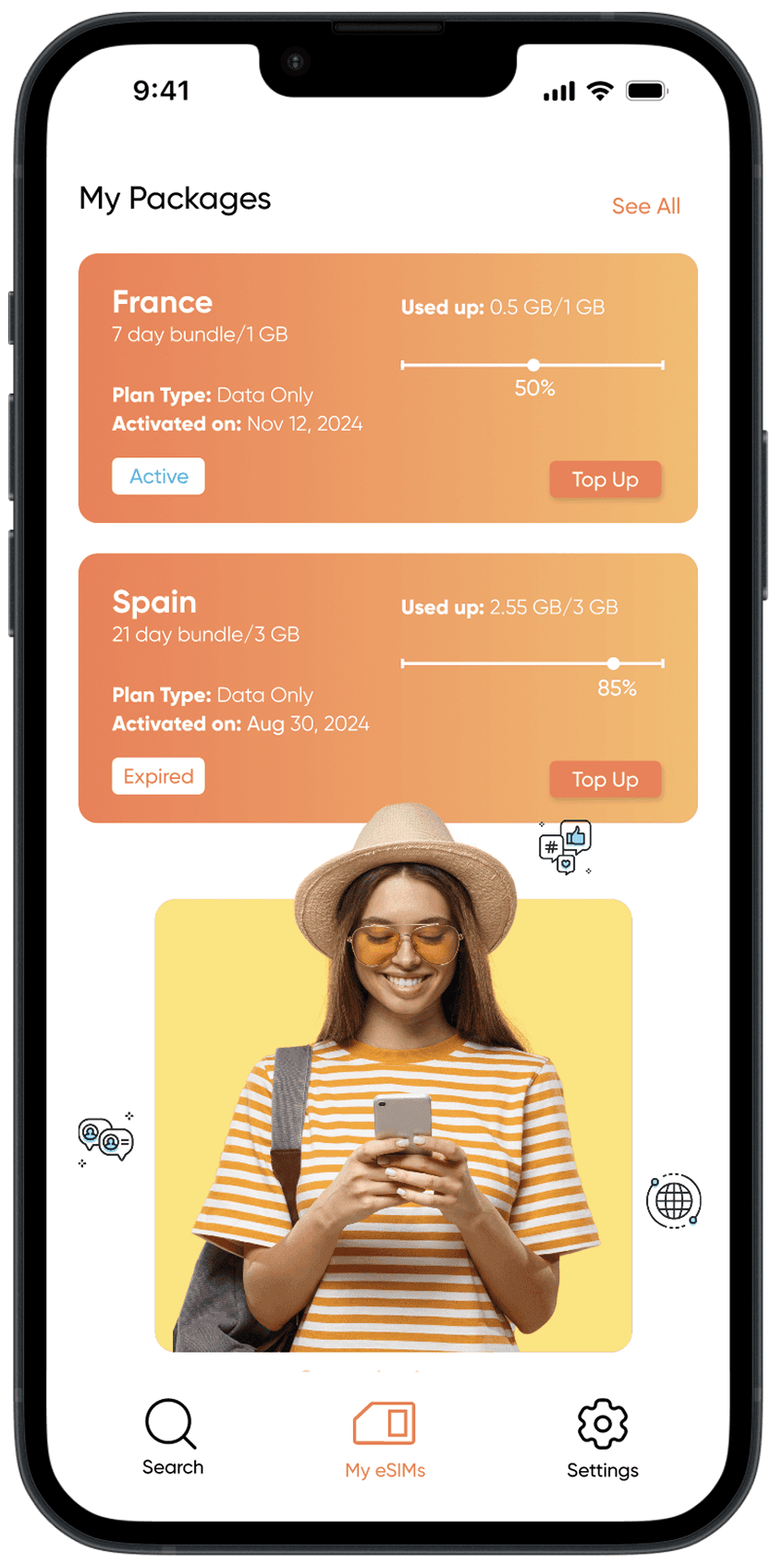
To add a personalized touch, I included a “Customize Your Avatar” option on the “My eSIMs” page.

To add a personalized touch, I included a “Customize Your Avatar” option on the “My eSIMs” page.

To add a personalized touch, I included a “Customize Your Avatar” option on the “My eSIMs” page.

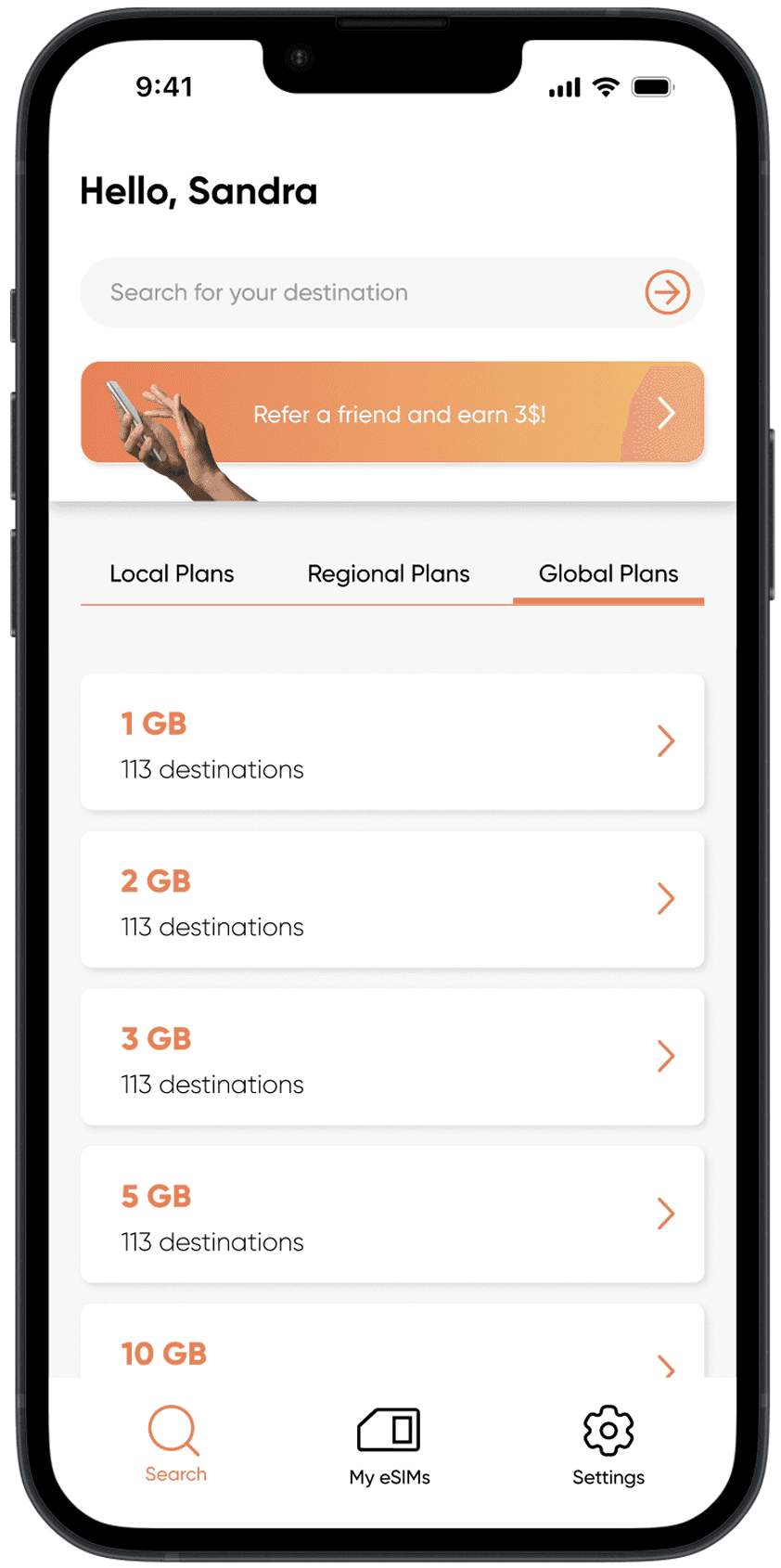
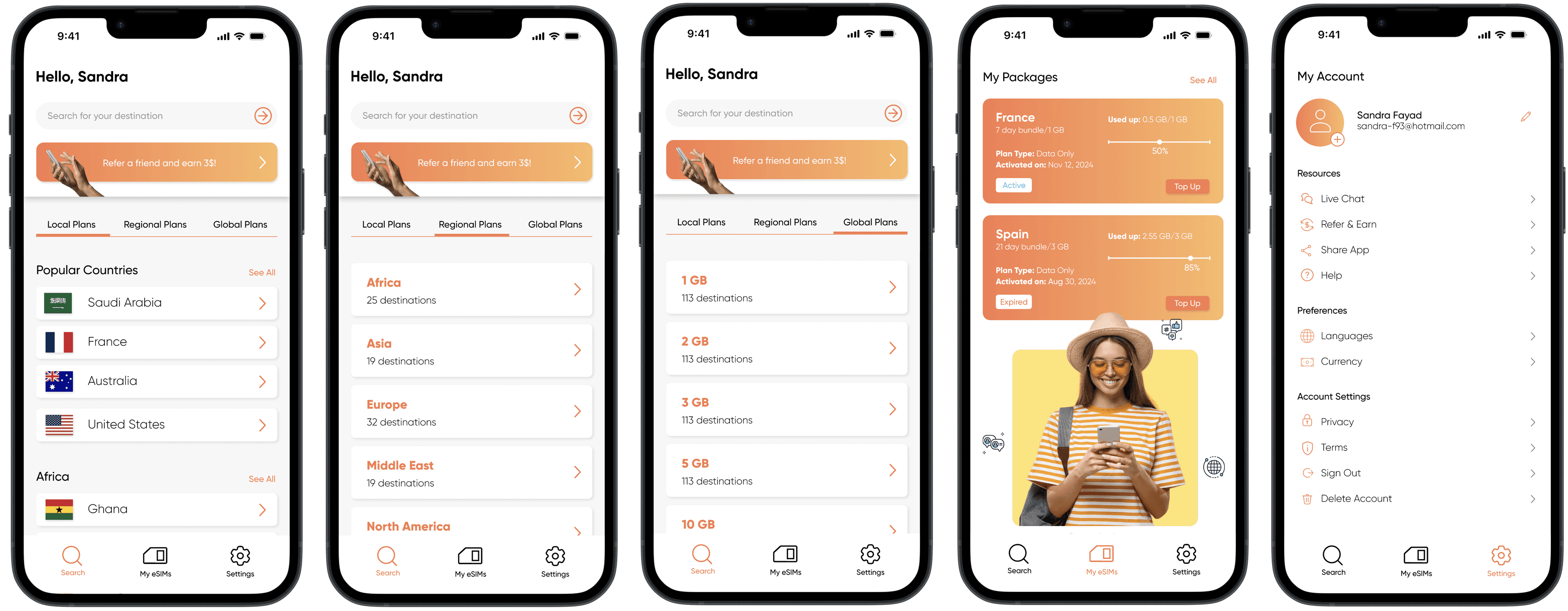
On the homepage, the Local, Regional, and Global buttons now behave consistently, making their functionality more intuitive and parallel in hierarchy.

The Regional and Global pages also have similar card shapes and sizes, ensuring users don’t have to relearn how to navigate each page.

On the homepage, the Local, Regional, and Global buttons now behave consistently, making their functionality more intuitive and parallel in hierarchy.

The Regional and Global pages also have similar card shapes and sizes, ensuring users don’t have to relearn how to navigate each page.

09. THE FINAL PROTOTYPE

Simly App - After

Simly App - After

10. THE STYLE GUIDE

Text Styles

Text Styles

Text Styles

Color Styles

Color Styles

Color Styles

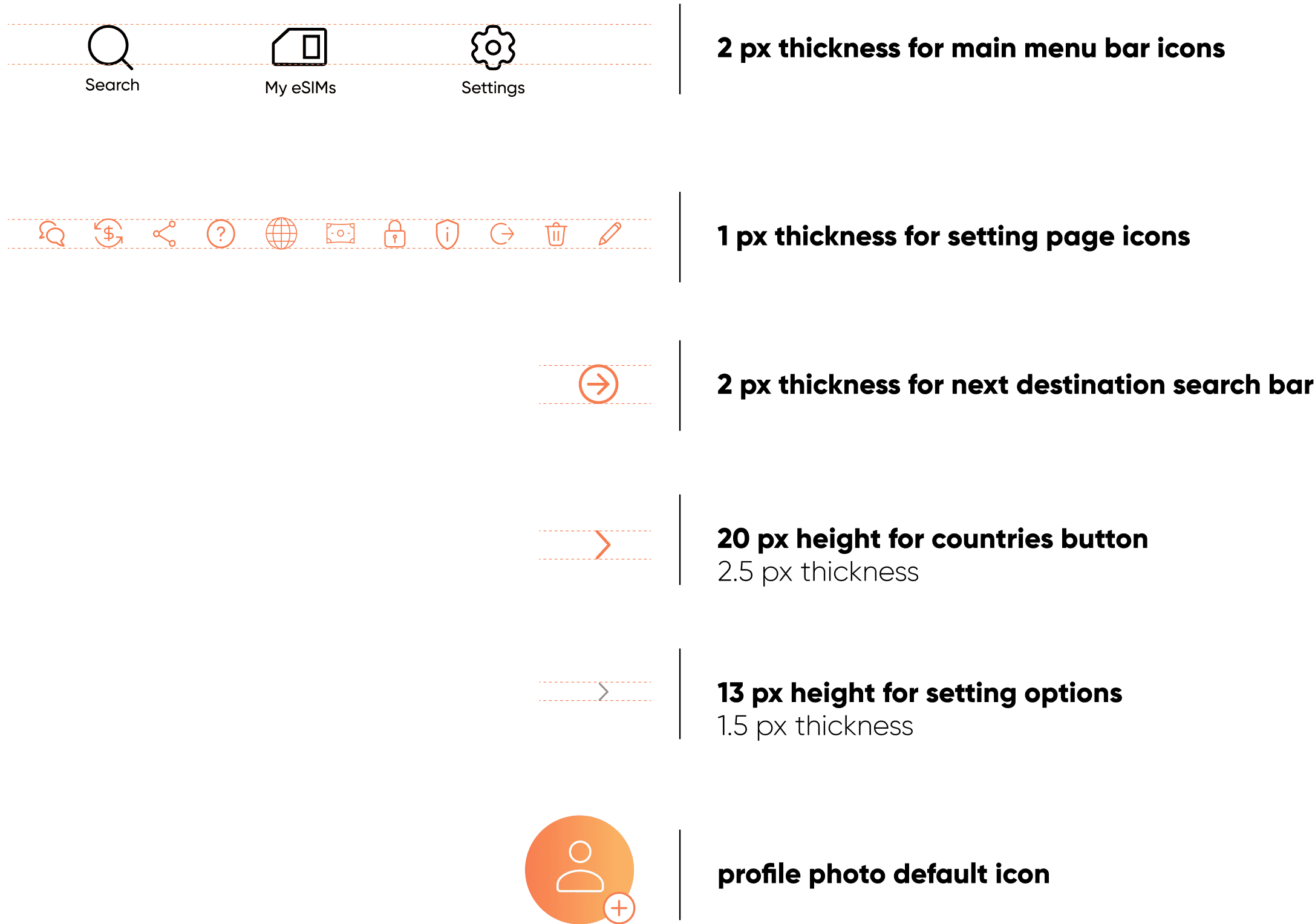
Icons

Icons

Icons

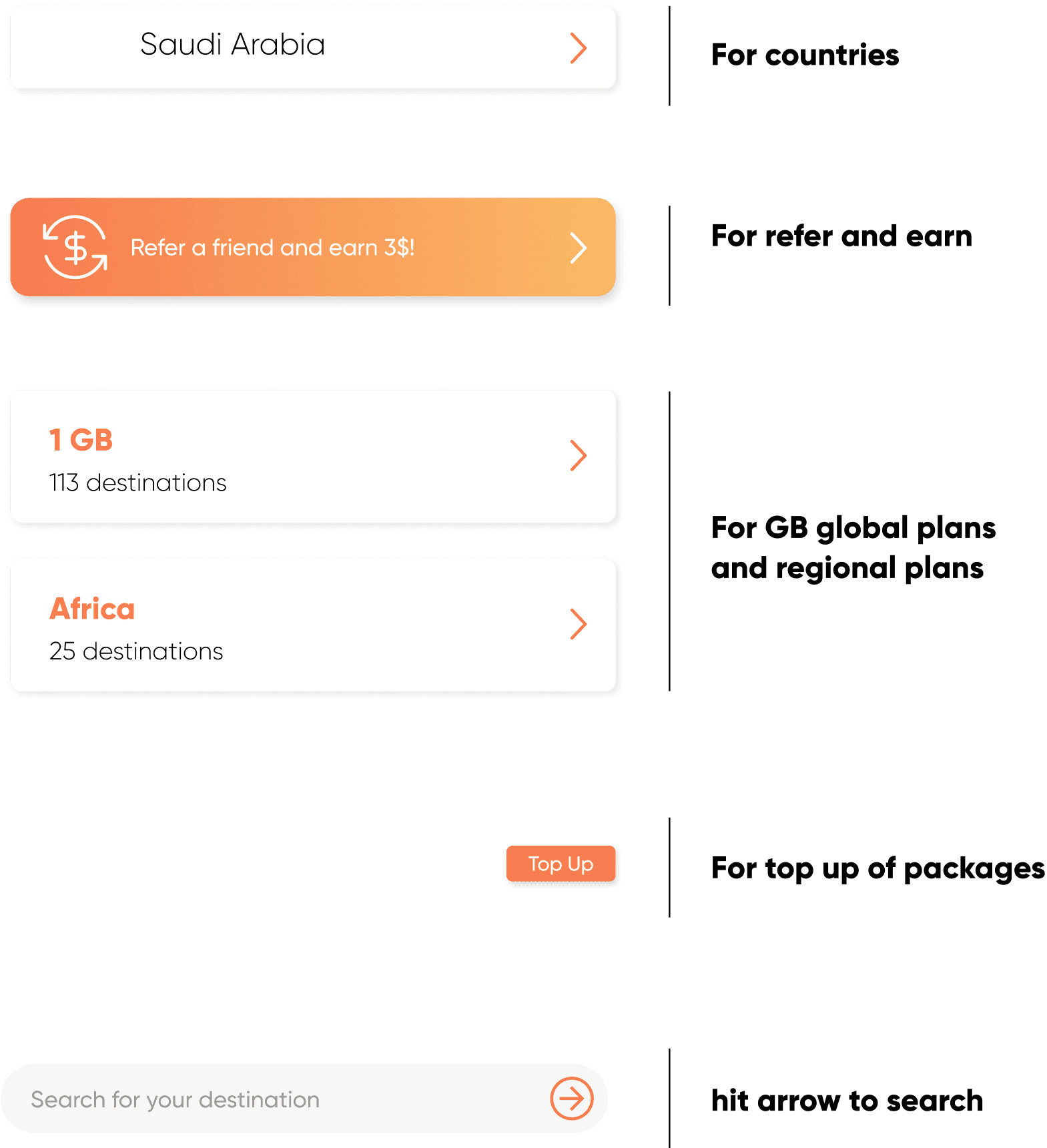
Button Components

Button Components

Button Components

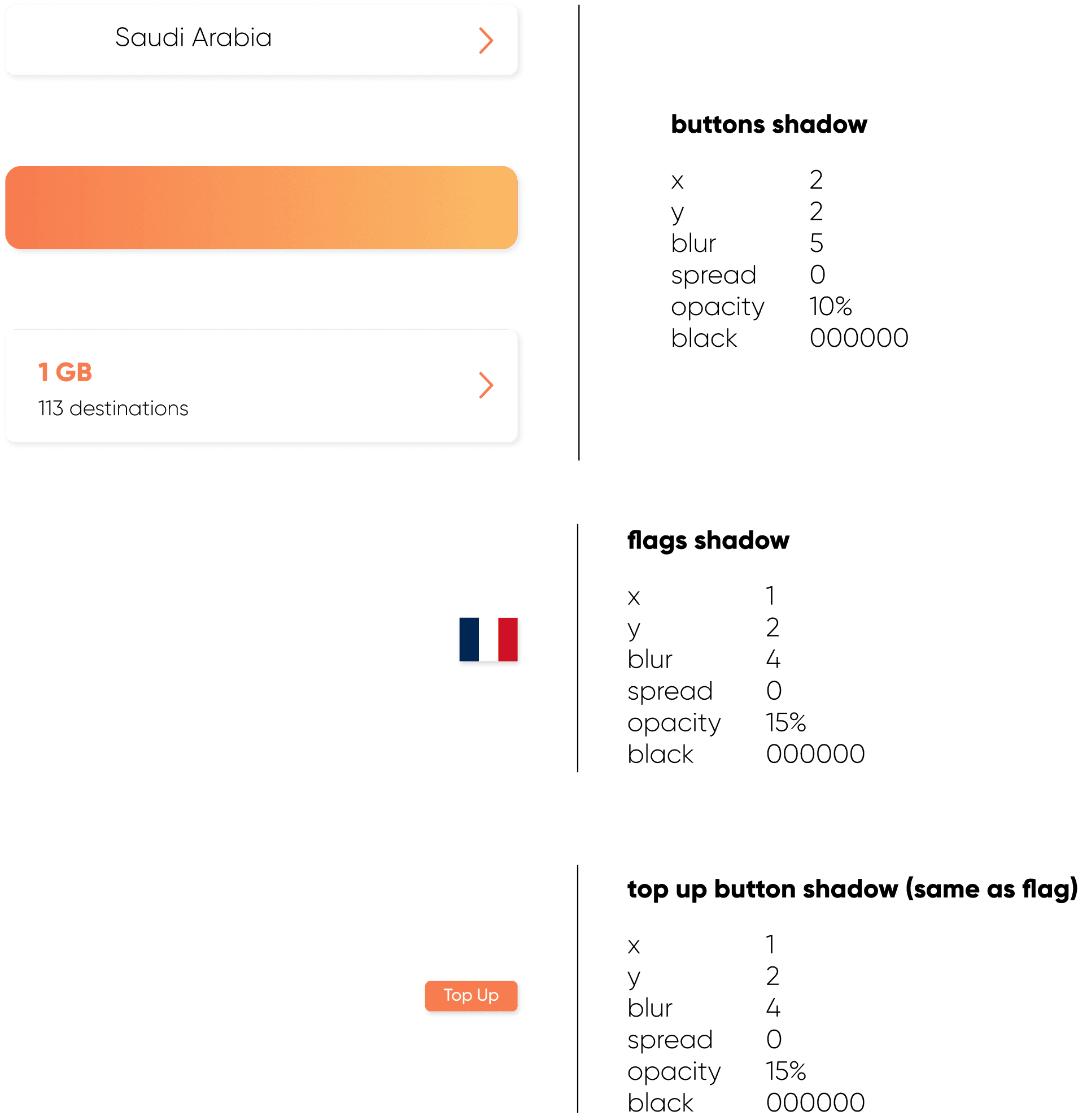
Effect Styles

Effect Styles

Effect Styles

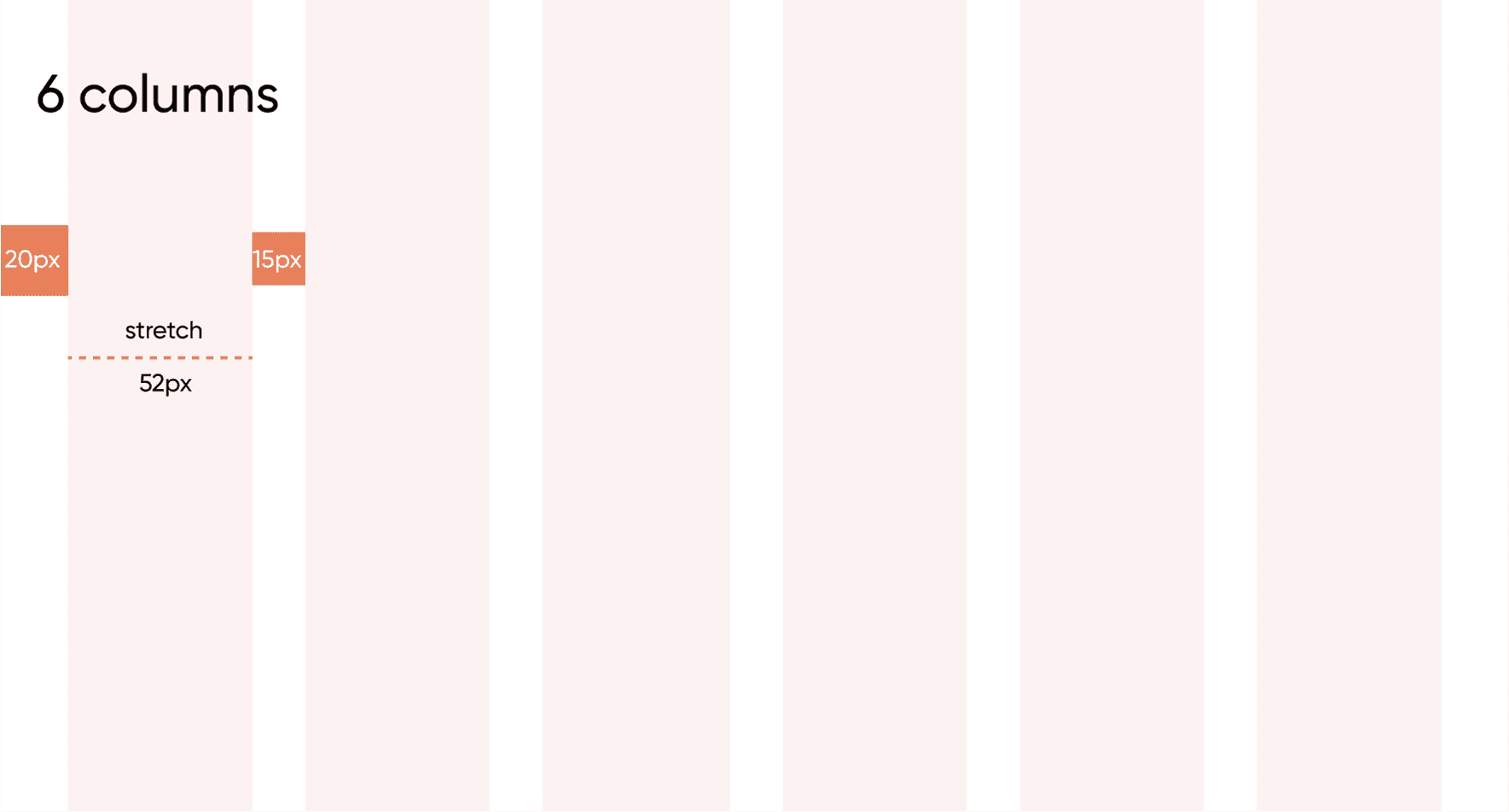
Grid Styles

Grid Styles

Grid Styles

11. NEXT STEPS

Design all the other features and pages of the app.

Conduct usability testing and iterate accordingly.

Approach Simly to explore their interest in implementing the redesign.

12. KEY LEARNINGS, THOUGHTS, AND INSIGHTS

Analyzing an app for redesign is the most crucial process. Once you identify the heuristic principles it violates, it becomes easier to know what to fix.

This was the most fun project I’ve worked on so far. Unpopular opinion: the time constraint was a good motivator for me, as I know I work well under pressure.

I’m proud of the outcome, especially knowing the entire redesign came together in one day. I also implemented new tools we learned in Figma, such as text, color, grid, and effect styles, as well as components. I didn’t rush the design process and gave attention to every detail, as I do with all my work.

I realized I work faster alone, without needing to pause for team discussions, which was ideal for this three-day project.
Before

After

Before

After

Ⓒ 2025 Sandra Fayad. All right reserved.


Ⓒ 2025 Sandra Fayad. All right reserved.

Ⓒ 2025 Sandra Fayad. All right reserved.


Create a free website with Framer, the website builder loved by startups, designers and agencies.